
Bluetooth flood lights
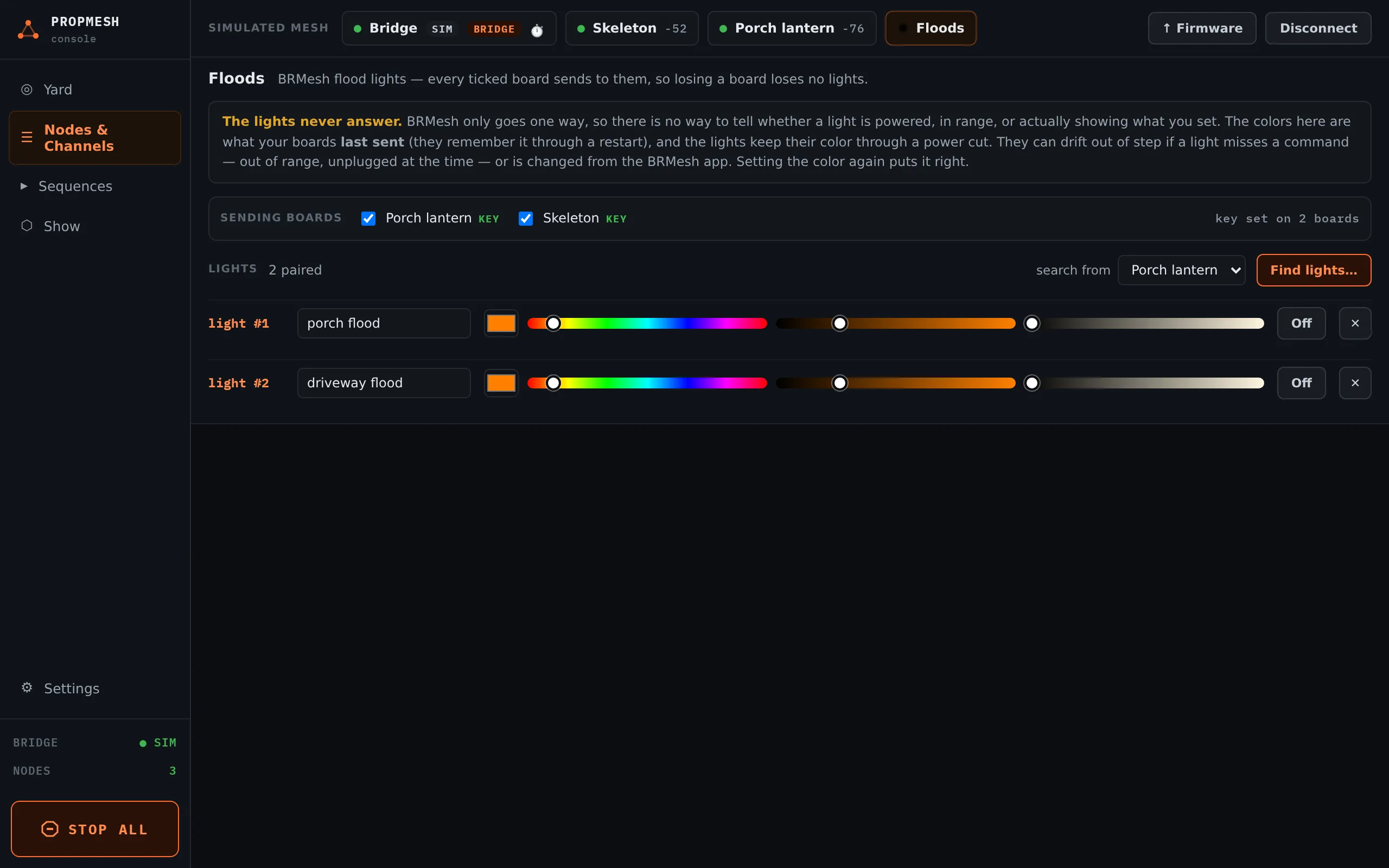
Inexpensive color flood lights that are normally controlled by the BRMesh phone app can join your show. Your prop boards talk to them over Bluetooth, so the floods can wash the house in orange at dusk and flash red when a scare goes off.
Pairing lights
Section titled “Pairing lights”-
In Nodes & Channels, open the ✺ Floods chip.
-
Under SENDING BOARDS, tick the boards that should talk to the lights. Pick the ones closest to the lights, and preferably more than one: every ticked board sends, so if one board goes down the lights keep working. The bridge never sends to lights. Press Save to boards.
-
Put the floods near one of the ticked boards and switch them off.
-
Press Find lights…, then Search (8 s), then switch the floods on. The lights only announce themselves for a few seconds after they get power.
-
Press Pair beside each light that appears. You will see ✓ paired as light #1, #2 and so on.
You don’t need the app or a key. The first pairing creates a key and the boards keep it. A light that already belongs to the BRMesh app shows paired elsewhere. Take over moves it to PropMesh, and the app loses it. If a light won’t take over, power-cycle it a few times to reset it and search again.
Using them
Section titled “Using them”Each light gets a row with a name, a color picker, a warm-white slider and Off. In sequences, a flood is a track like any other output, so a scare can turn the porch red for three seconds and back.
Limits
Section titled “Limits”- Up to 255 lights, and up to 16 per sending board.
- A board on battery sleeps between messages, so it reacts late and sends nothing while asleep. Prefer mains-powered boards as senders. The console asks before you tick a battery board.