
Running the show
Three modes
Section titled “Three modes”At the top of Show:
| Mode | What happens |
|---|---|
| Off | nothing plays, and every output is off |
| Ambient | ambient loops run (lights, fog), but sensors don’t set off scares |
| Armed | ambient loops run and sensors fire their sequences |
Pressing a mode holds it until the schedule’s next change. Without a schedule, the boards start out armed and a mode you press holds until you press another one.
The schedule
Section titled “The schedule”Press Schedule… to set when the show runs on its own.
- Under LOCATION, press Use this device’s location, or type a latitude and longitude (west is negative). This is how the console works out your sunrise and sunset.
- Add windows with + Add window. Each window has DAYS, DATES, FROM, TO and the MODE to be in. You can have up to 12.
- Press Save to boards.
FROM and TO take a clock time such as 21:30, or the sun: sunset, sunrise, dusk or dawn, with an offset in minutes. sunset-60 is an hour before sunset and dusk+15 is fifteen minutes after dusk. DATES limit a window to part of the year (month and day), so October can be scarier than December.
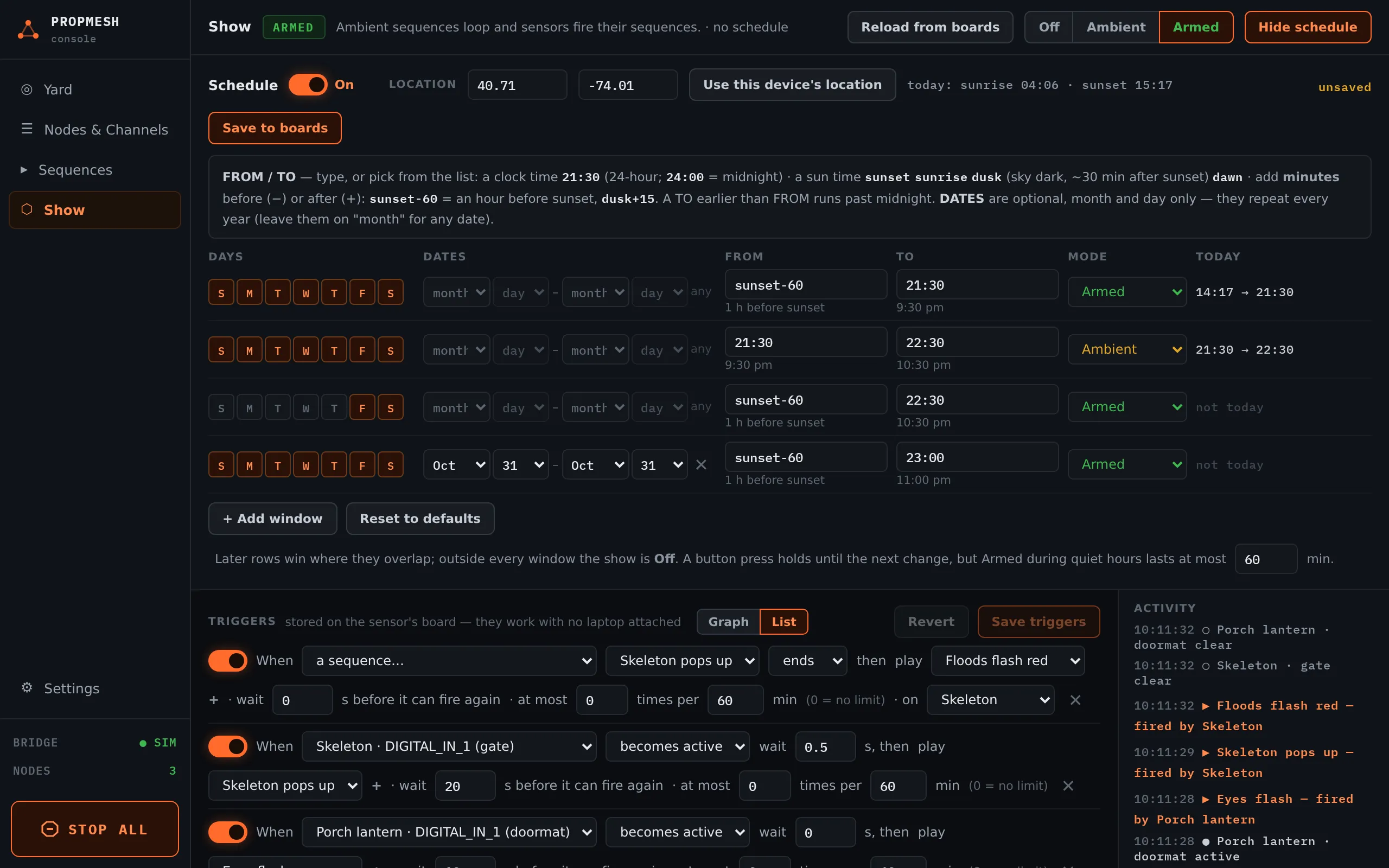
A typical Halloween schedule:
| DAYS | DATES | FROM | TO | MODE |
|---|---|---|---|---|
| every day | Oct 1 – Oct 31 | sunset-30 |
22:00 |
Ambient |
| Fri, Sat | Oct 1 – Oct 31 | dusk |
22:00 |
Armed |
| every day | Oct 31 | sunset-60 |
23:00 |
Armed |
Where windows overlap, the lower row wins. Outside every window the show is Off. The TODAY column shows exactly when each window runs today.
STOP ALL
Section titled “STOP ALL”The big button at the bottom left. Press and hold it for about a second and a half. Every board disarms and every output turns off: strips, servos, relays and flood lights. A banner says ALL OUTPUTS STOPPED and names any board that didn’t confirm.
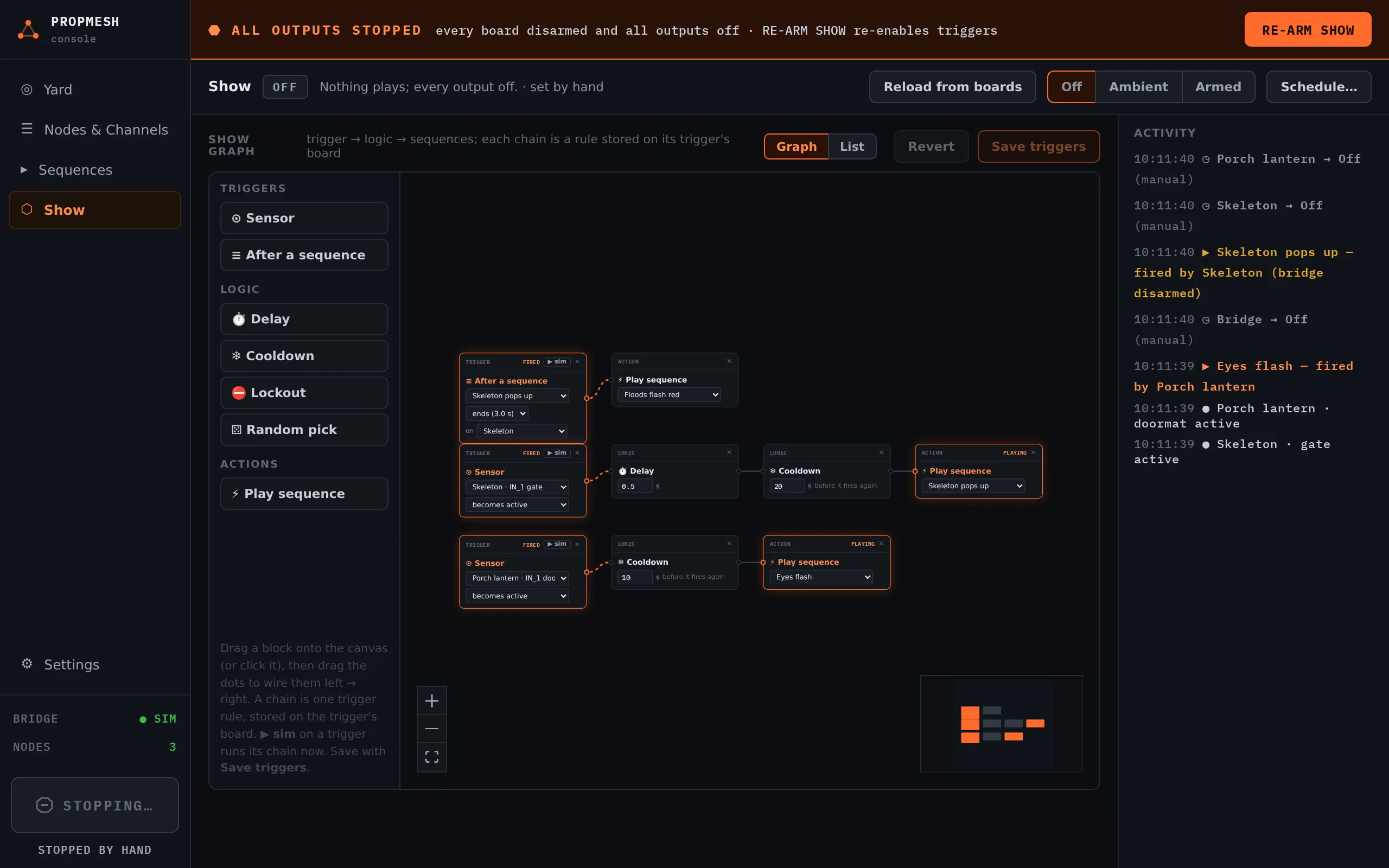
RE-ARM SHOW in that banner turns the triggers back on.