
Try it in your browser
The console has a built-in simulator: a pretend bridge with two prop boards behind it. You can do almost everything you would do with real boards, such as assign pins, build a sequence, wire a trigger and draw your yard, and nothing you do leaves your browser.
Open the consoleThings to try
Section titled “Things to try”- Yard shows the pretend boards and the radio links between them. Switch to Map and draw your yard with the tools on the left. Drop in a tombstone or two.
- Nodes & Channels lists every board. Pick one and give a pin a job (a servo, an LED strip, a sensor), then Save to node and drag the test slider.
- Sequences: press + New sequence, then + Add first track… for the output you just set up. Double-click the track to add a keyframe and drag it around. Live preview plays it as you edit.
- Show: drag a ⊙ Sensor block onto the graph, drag a ⚡ Play sequence block next to it, and connect the dots left to right. Press ▶ sim on the sensor block to run the chain.
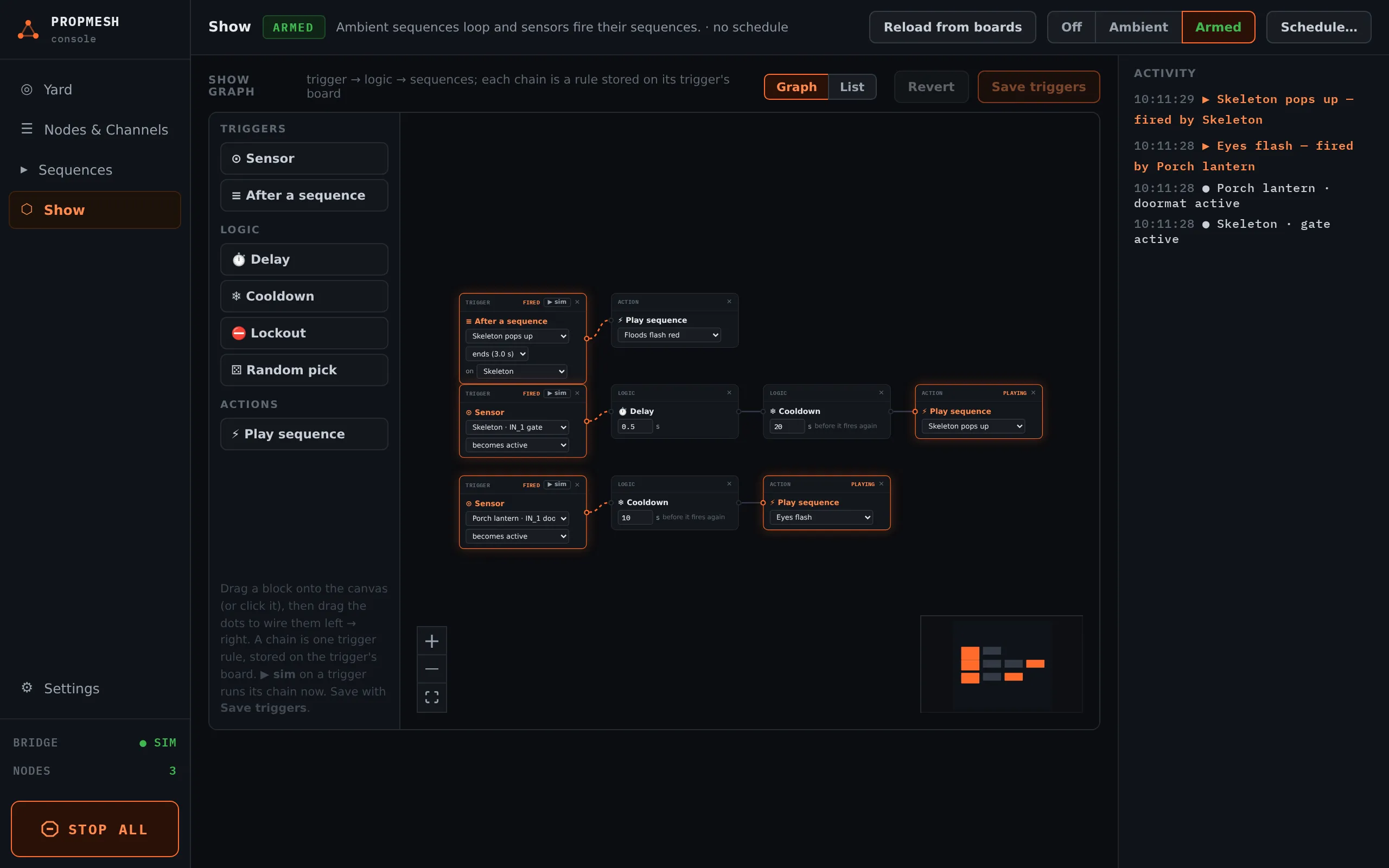
The simulated boards flip their first input every few seconds, so a sensor trigger will fire on its own.
When you’re ready for real hardware: Your first scare in 15 minutes.