
Relays, motors and dimmers
Relays: switching things on and off
Section titled “Relays: switching things on and off”A relay module lets the board switch something bigger than itself: a 12 V pump, a car horn, a solenoid, or the “fire” button on a fog machine’s remote.
- Wire the module’s VCC, GND and IN to the board. On most inexpensive modules, VCC goes to VIN and IN goes to any output pin.
- Wire the thing you are switching through the relay’s COM and NO (normally open) terminals.
- Assign the pin to Relay / on-off output. Most relay modules switch on when their input is pulled low. If yours clicks off when you press ⏻ TURN ON, tick on = LOW.
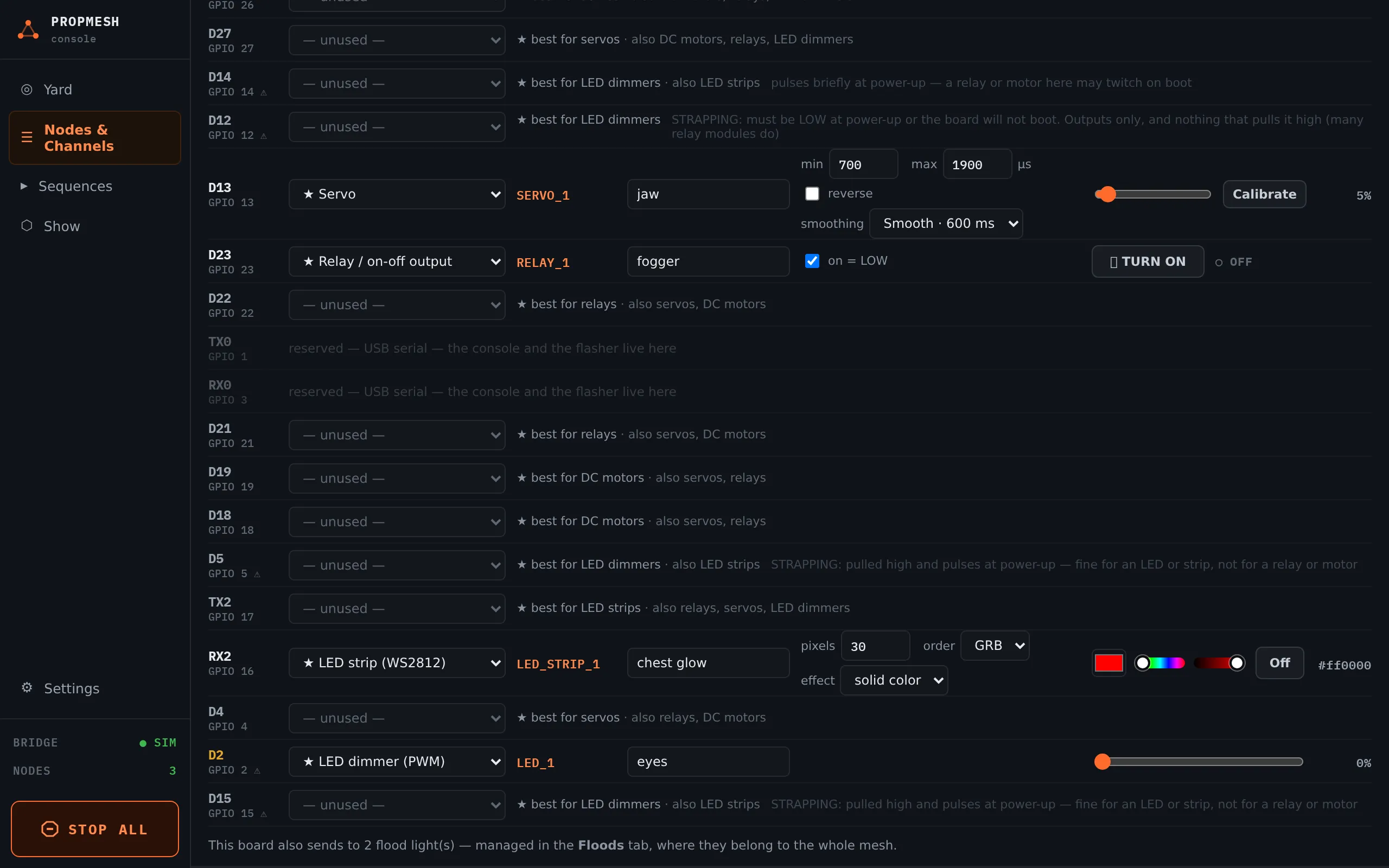
Pick a quiet pin. Some pins pulse briefly while the board starts up, which can click a relay on for a moment. The board pages mark the pins to avoid with ⚠ and the best relay pins with ★.
DC motors
Section titled “DC motors”A motor needs a motor driver between it and the board: a small H-bridge module such as a DRV8871 or TB6612. The driver takes two control pins, IN1 and IN2, and has its own motor supply.
Assign the first pin to DC motor (H-bridge IN1/IN2) and choose the second pin in IN2. The TEST slider runs from full reverse, through stop, to full forward. Stop stops.
PropMesh drives motors at 25 kHz, which is above human hearing, so there is no whine to give the scare away.
Plain LEDs and dimmers
Section titled “Plain LEDs and dimmers”For a single LED, or a lamp driven through a MOSFET module, assign LED dimmer (PWM). It dims smoothly from 0 to 100 % and can fade in sequences.
Pins marked “boot-quirk” on the board pages are fine for lights, since a flicker at power-up doesn’t matter. Using them for lights keeps the quiet pins free for relays and motors.