
Sequences
A sequence is a short, timed script: at 0 s the eyes light, at 0.2 s the jaw opens, at 1 s the floods go red. One sequence can use outputs on as many boards as you like, and they all move together.
Making one
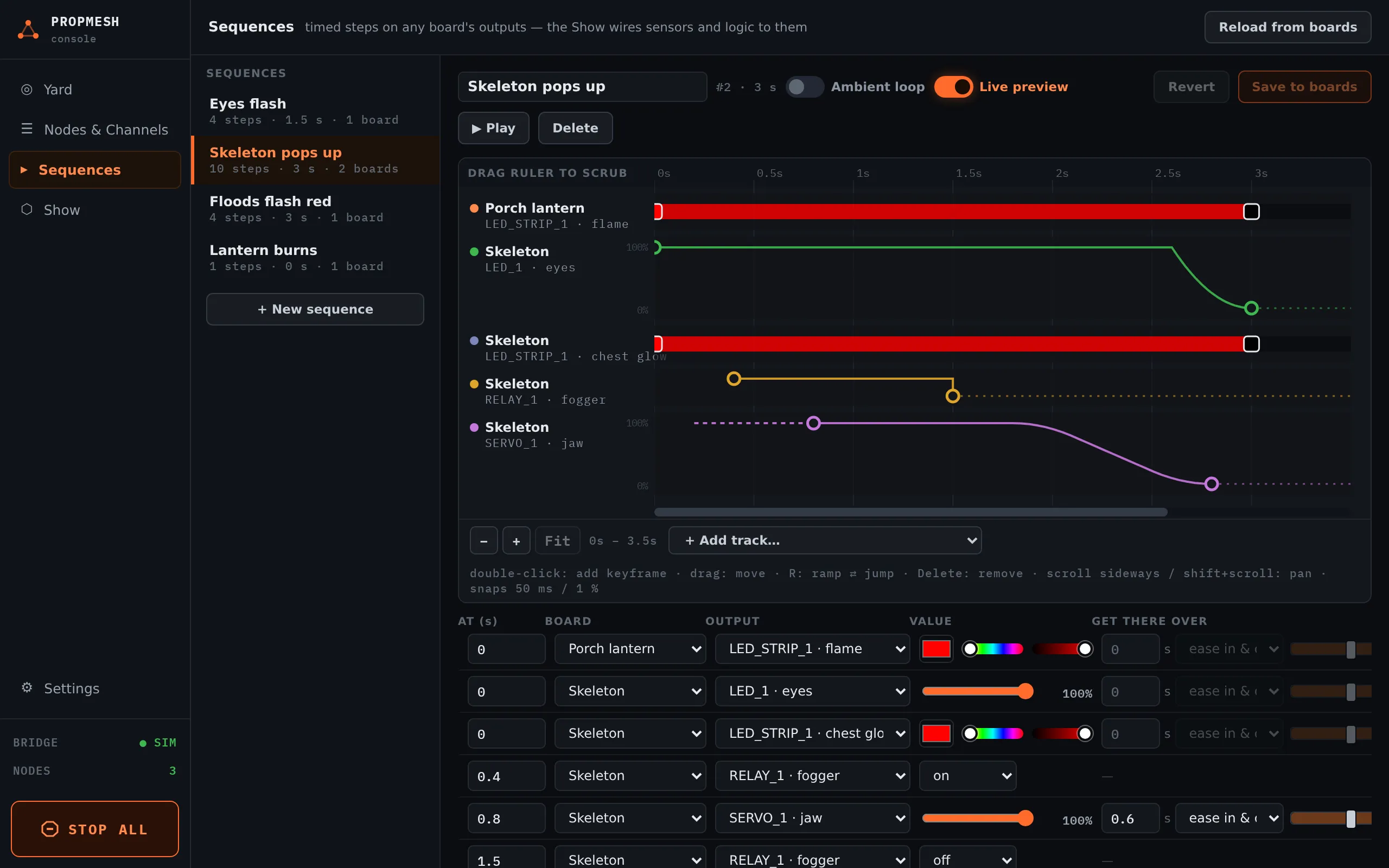
Section titled “Making one”In Sequences, press + New sequence and give it a name. Then press + Add first track…. A track is one output on one board: a servo, a strip, a relay, a flood light. Add a track for each thing that moves.
There are two ways to put steps on a track. Use whichever suits you.
- On the timeline: double-click a track to add a keyframe, and drag it to move it. Drag the ruler to scrub through time. −, + and Fit zoom.
- In the step table below it: press + Add step, type the time in AT (s), pick the output and set the VALUE.
GET THERE OVER is how long the output takes to reach that value, and the shape of the move: ease in & out, gentle start & stop, linear, ease in, ease out or soft landing. Zero means jump straight there. On the timeline, press R on a keyframe to switch between a ramp and a jump.
Saving and playing
Section titled “Saving and playing”Save to boards sends each board its part of the sequence. From then on the sequence lives on the boards. If a board is off the mesh when you save, it gets its part later: the bridge keeps a copy and passes it on when the board comes back.
▶ Play runs the sequence once, everywhere. It is available once the sequence is saved and the show isn’t Off.
Ambient loops
Section titled “Ambient loops”Turn on Ambient loop and set every … s for things that should run on their own all evening: a flickering window, a slowly breathing glow, fog every few minutes. Ambient loops play whenever the show is Ambient or Armed. See Running the show.